Features
From a keyword to a published article, without giving up the edit
Opus Rank researches the topic, writes a structured draft with real metadata and internal links, and sends it to your site once you have approved it. Every step is a separate action with a price you see first.
- Nothing publishes without you
- Failed generations are refunded
Built to be checked
What you can verify before you pay for anything
No borrowed logos and no borrowed numbers. These are properties of the system itself, and each one is visible the first time you use it.
- Up frontEvery action is priced before it runs
- Each action has one published credit price, and you confirm it before anything starts. The balance you see is the balance you can spend.
- In fullA failed generation is refunded
- Credits are held when work starts and settled exactly once — committed when a draft arrives, returned in full when it does not. A retry after a failure is never a second charge.
- On by defaultNothing publishes without you
- Autopilot's review gate is on by default. A run that has written and illustrated an article stops and waits, and turning that off is a deliberate act rather than a default you have to notice.
- EncryptedEncrypted publishing credentials
- Connection secrets are encrypted before they reach the database, decrypted only on the server at the moment of publishing, never returned to the browser, and deleted when you disconnect.
Publishes to
- WordPress
- Webflow
- Ghost
- Shopify
 WordPress
 Webflow
 Ghost
 Shopify
The pipeline
Six steps, and you can stop after any of them
Each step is its own action with its own price. Map a topic and take the result to a writer, or run the whole thing through to a published post — the pipeline does not insist on being finished.
- 1
Topical map
Instantly generate a pillar-and-cluster strategy from a single seed keyword, complete with publishing order.
- 2
Brief
Validate your angle before drafting. We research title options, search intent, pain points, and core entities.
- 3
Outline
Build a foolproof structure with section-by-section goals, keyword targeting, and strict word budgets.
- 4
Article
Generate the complete draft—SEO metadata, proper H2/H3 hierarchy, body copy, and a targeted FAQ section.
- 5
Optimise
Boost your internal linking with smart anchor text suggestions across your existing content silo.
- 6
Publish
Push your approved draft straight to the CMS you connected — as a draft, published now, or scheduled.
Nothing here runs on its own. Every step waits to be asked.
Plan
Decide what to write, before anything is written
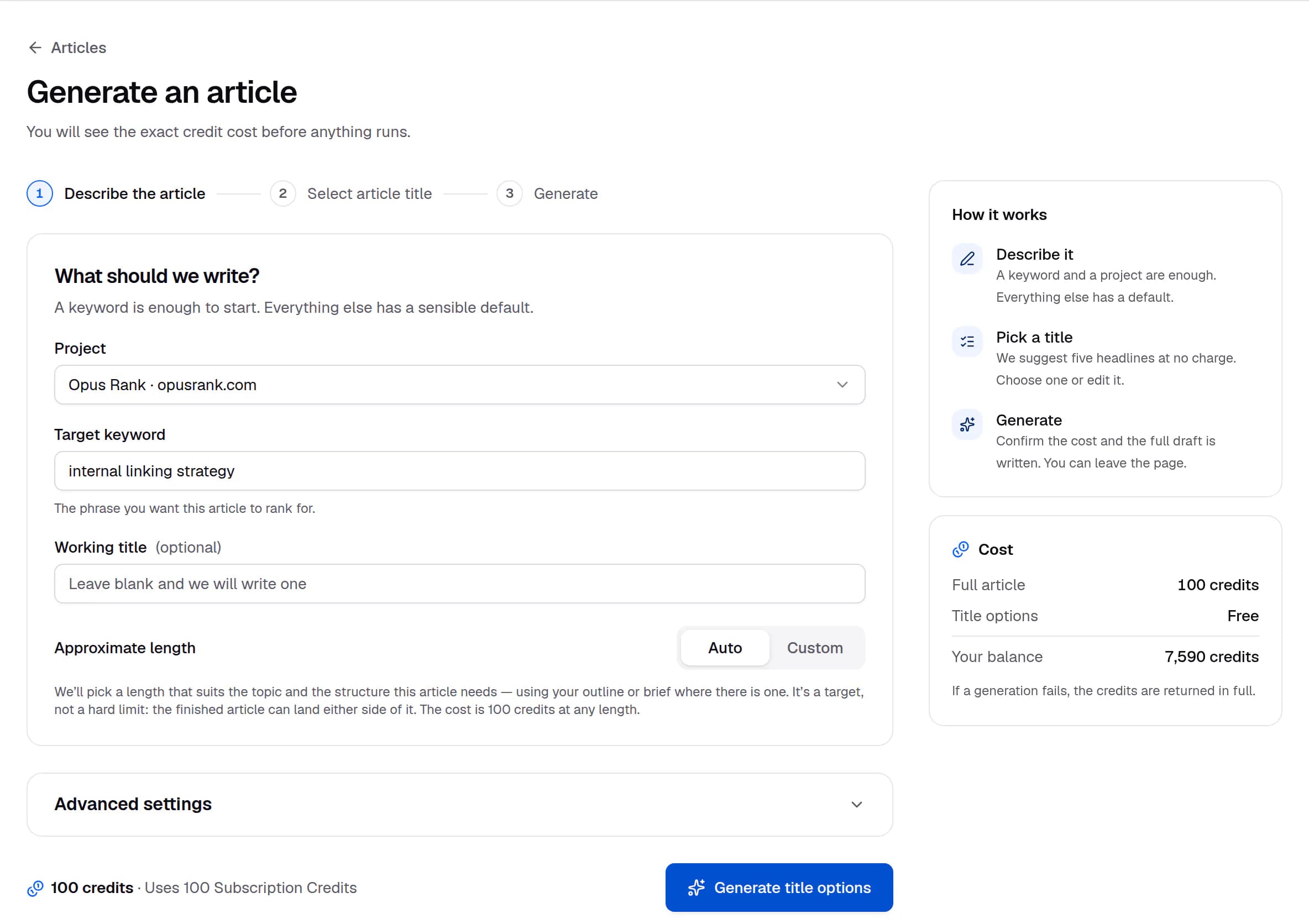
Turn one seed keyword into a pillar-and-cluster map, then into a brief and an outline you can argue with. Search intent is resolved for you and labelled with where it came from, so nothing on the form is a guess dressed up as your own choice.
Decide what to write before you pay to write it
80creditsMap a subject into a pillar-and-cluster structure, brief the piece that matters most, then outline it. Three inexpensive steps that make the expensive one land.
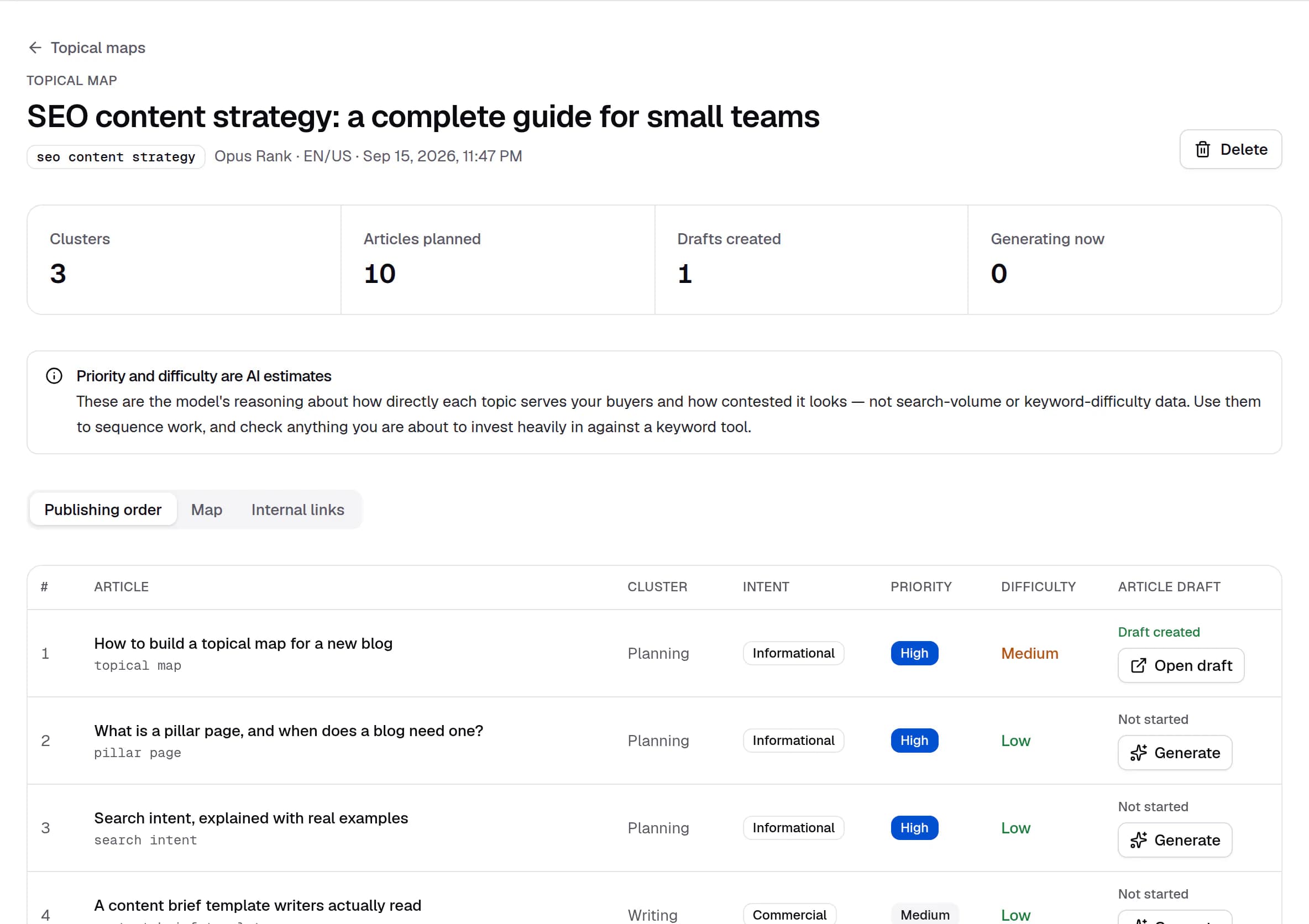
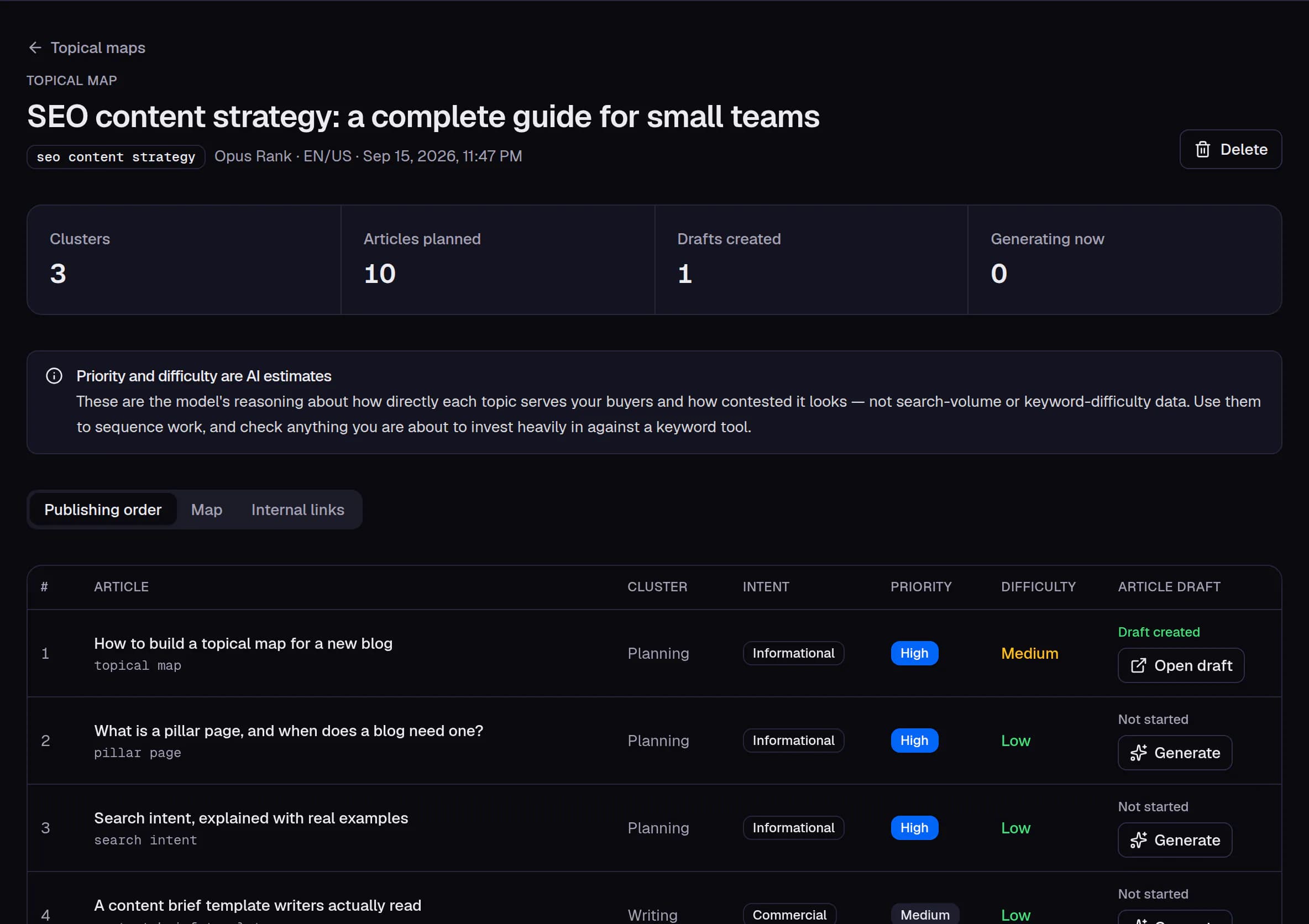
- Priority and difficulty are labelled as AI estimates, not keyword-tool data.
- Topics are listed in the recommended publishing order, grouped by cluster.
- Each topic becomes a draft in one step, and the map shows which already have one.
Create
A full draft, written section by section
The outline is written first and every section against it, which is what keeps a long article coherent to the end. You watch the real milestones as they pass, and a generation that fails returns its credits instead of charging for a draft that never arrived.
A finished draft, not a blank page
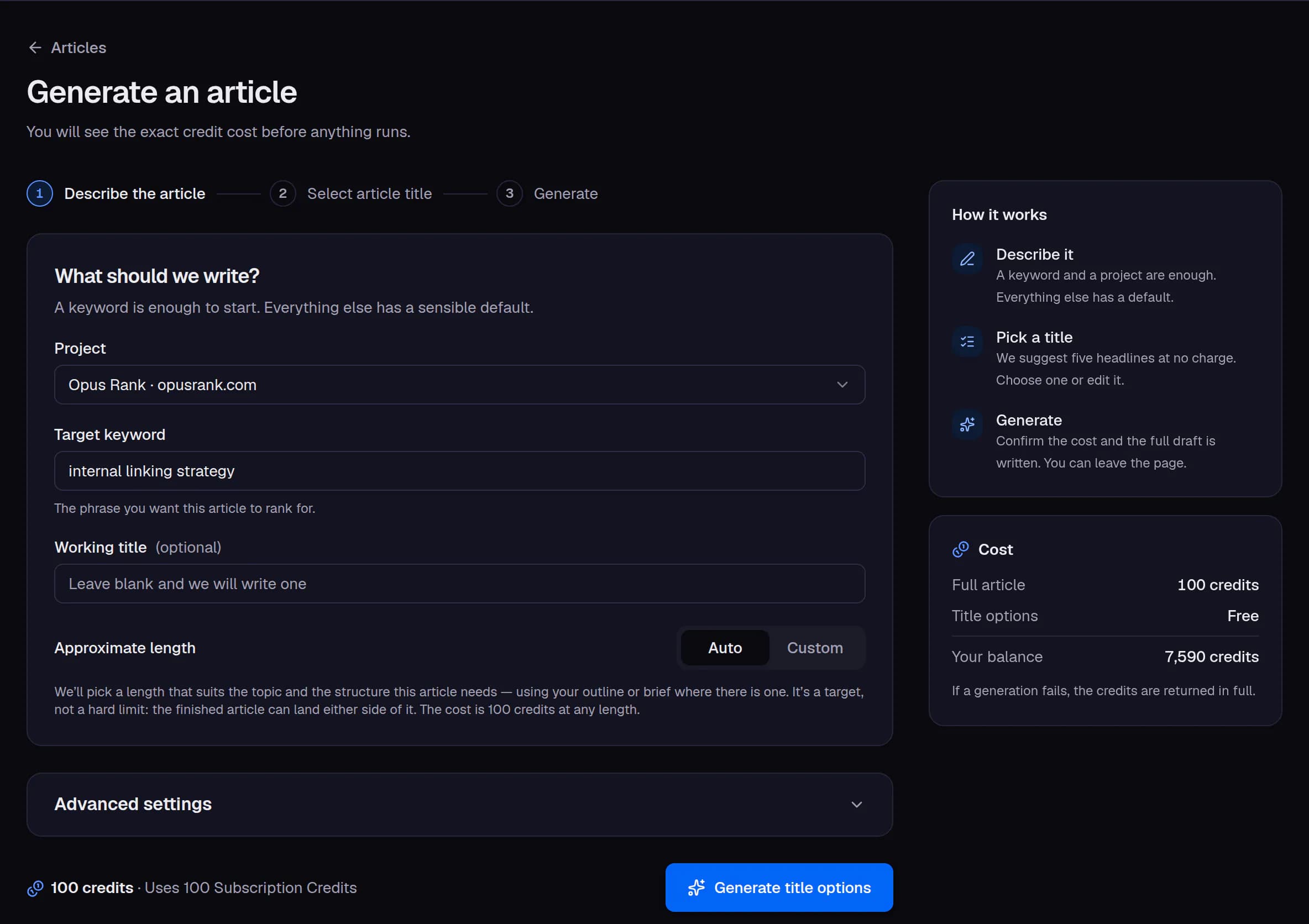
100creditsGive it a keyword and get back a complete article: a researched heading structure, body copy written section by section, metadata sized to fit, an optional FAQ block and internal-link suggestions — all waiting for your edit.
An editor that keeps the structure
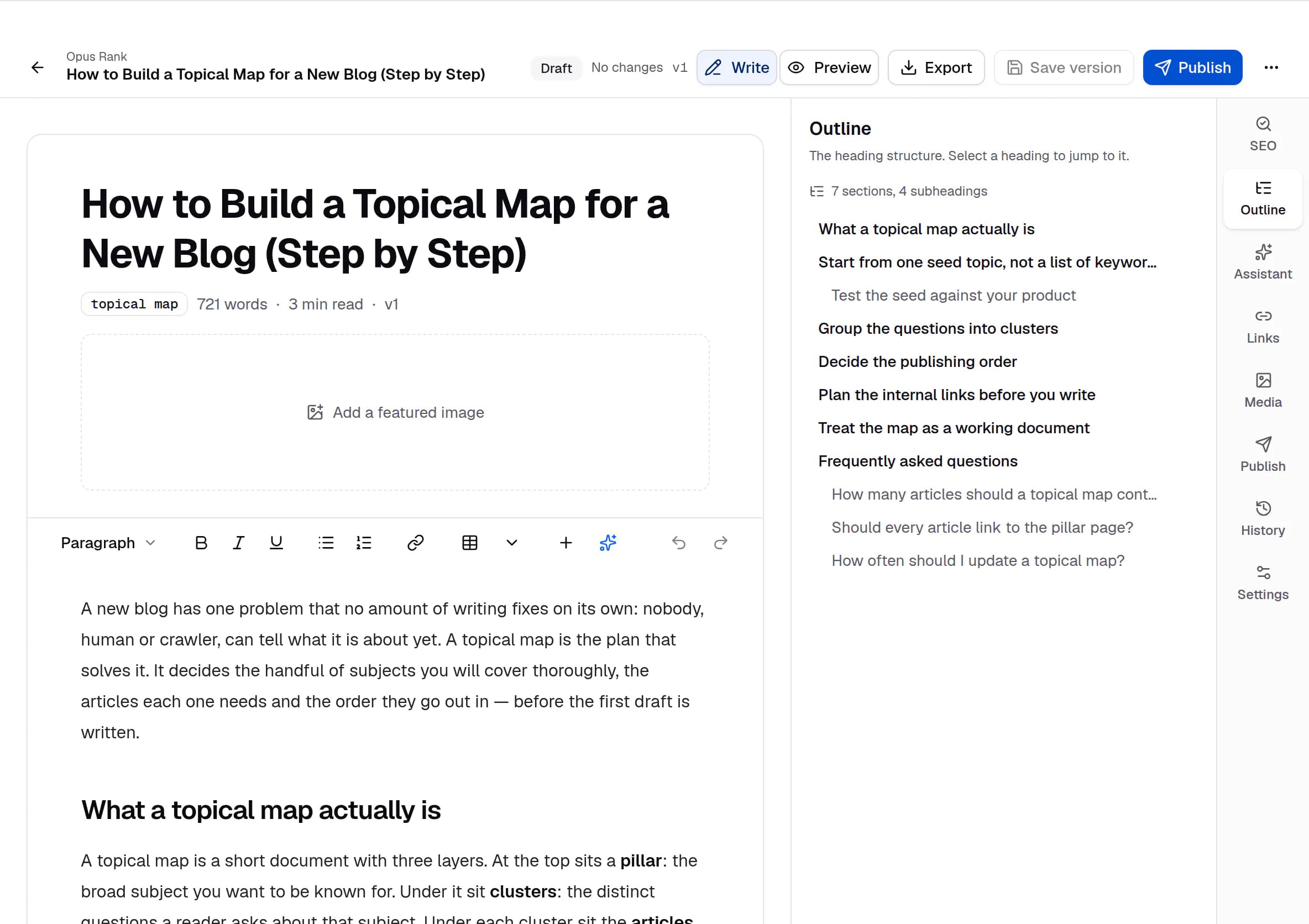
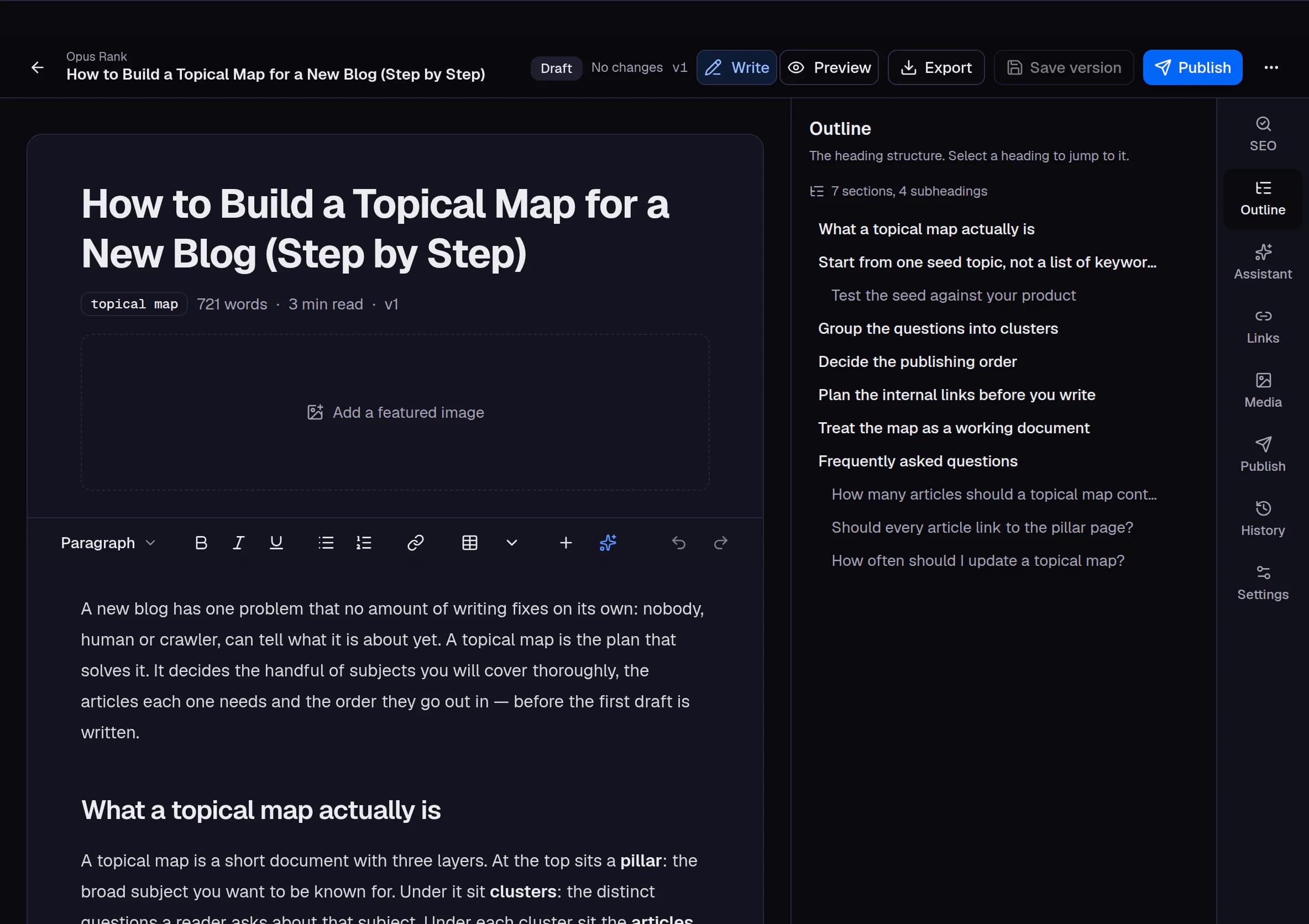
Work on the draft in place with its outline beside you. The heading hierarchy stays intact, the metadata counters stay live, and every save cuts a version, with recent ones there to return to.
Rewrite a paragraph, not the article
10creditsSelect a passage and ask for one targeted change — shorten it, expand it, fix the grammar, or write the instruction yourself. You see the result before you decide to keep it.
Refresh what you have already published
60creditsPoint it at an article that has gone stale, choose an intent — sharpen the SEO, clarify, shorten, expand — and get it back rewritten, with the version you started from still sitting in the history.
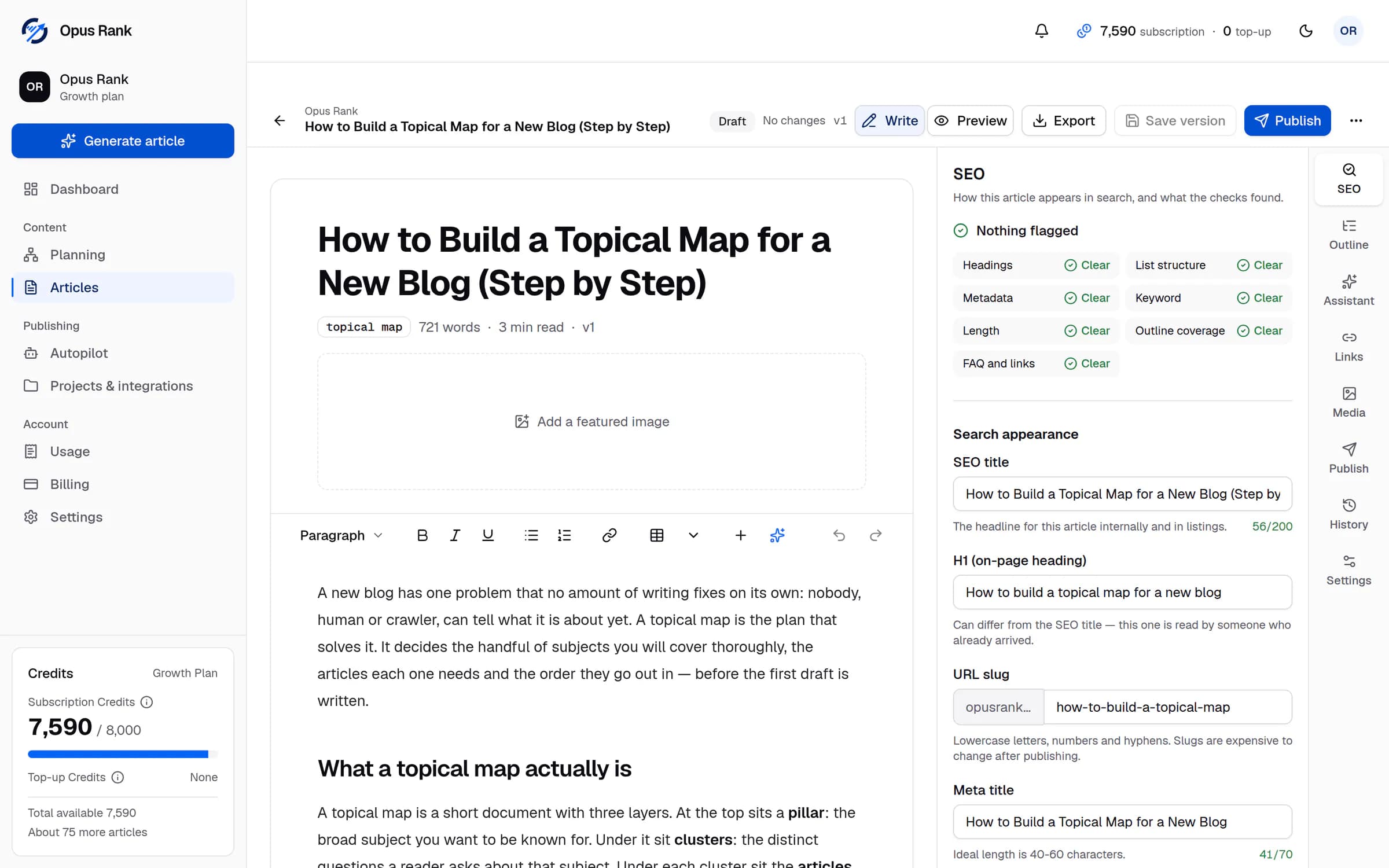
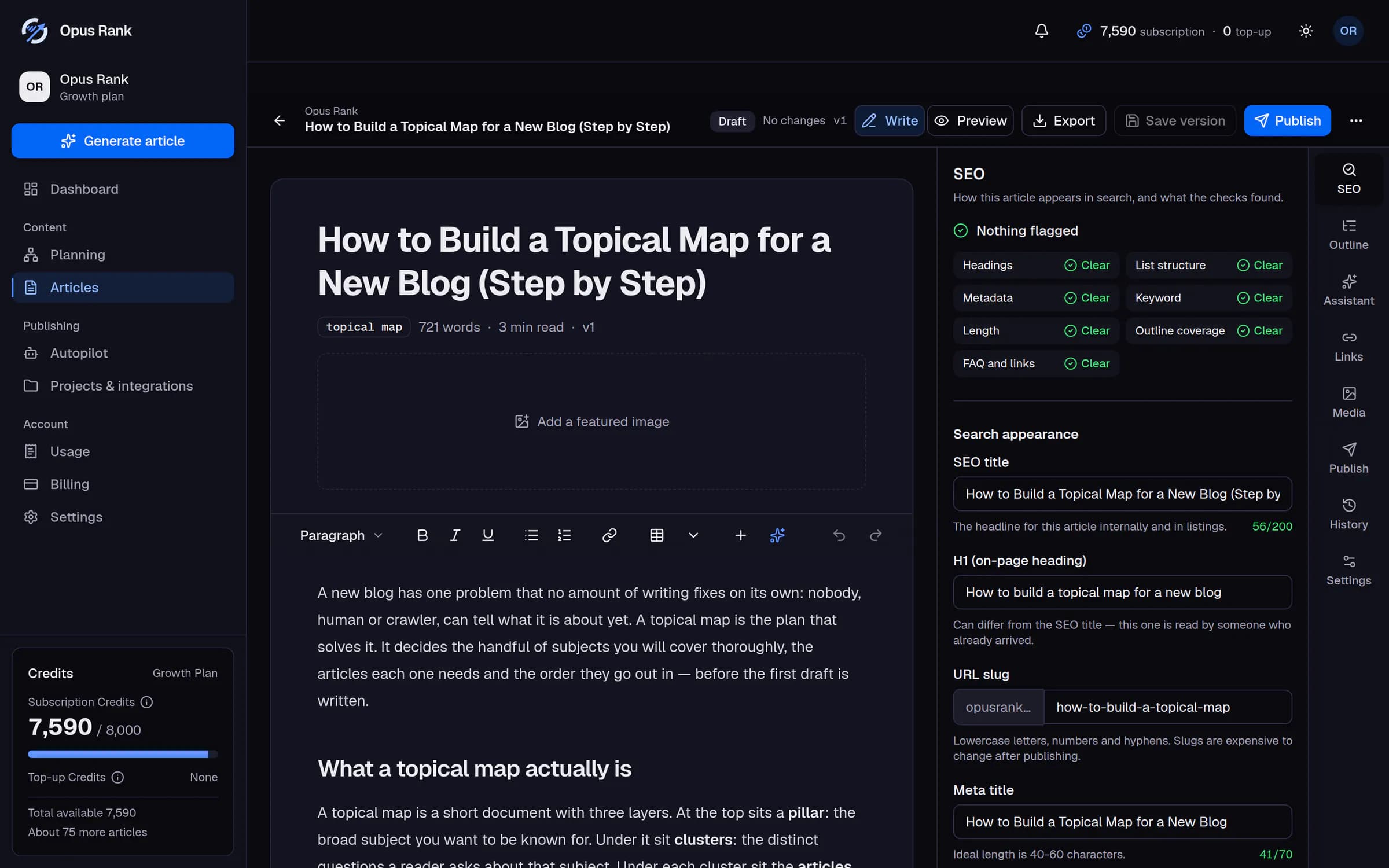
- Publish sends the saved version to your connected CMS: as a draft, now, or scheduled.
- The SEO report checks the draft as you edit, and says plainly when nothing is flagged.
- SEO title, H1, slug and meta fields arrive with the draft, with live length counters.
Enrich
The parts that make a draft publishable
A featured image, internal links drawn from your own project, and metadata written to the lengths a search result actually shows. Each one is applied to the article you already have, one decision at a time.
A featured image without the stock-photo hunt
40creditsGenerate an image from the article's own context, in a style you choose, with alt text you can edit. It is hosted on a stable URL your site can point at.
Internal links that point somewhere real
10creditsYour draft is read against the rest of the project to suggest anchor text and destinations for it. You apply them one at a time, or you leave them.
Included with the article
Generate a different imageAlt text
A sales team comparing pipelines in a CRM on a laptop
- On a plan with images, one arrives with the article.
- Alt text written for the image, and editable like everything else.
Publish
Out to your own site, on your own terms
Send an approved draft to the CMS you connected — as a draft, published now, or scheduled. Autopilot repeats that on a cadence you set, with a monthly cap you choose and a review gate that starts switched on.
Publish without copying and pasting
0creditsConnect your site once, then send the approved article — body, metadata, tags and featured image — straight to it. The publish form only offers what your chosen destination can genuinely accept.
Let it run, and keep the veto
Set a cadence for a project and Autopilot drafts, illustrates and stages articles from the topic queue you approved — stopping for your review unless you decide otherwise.
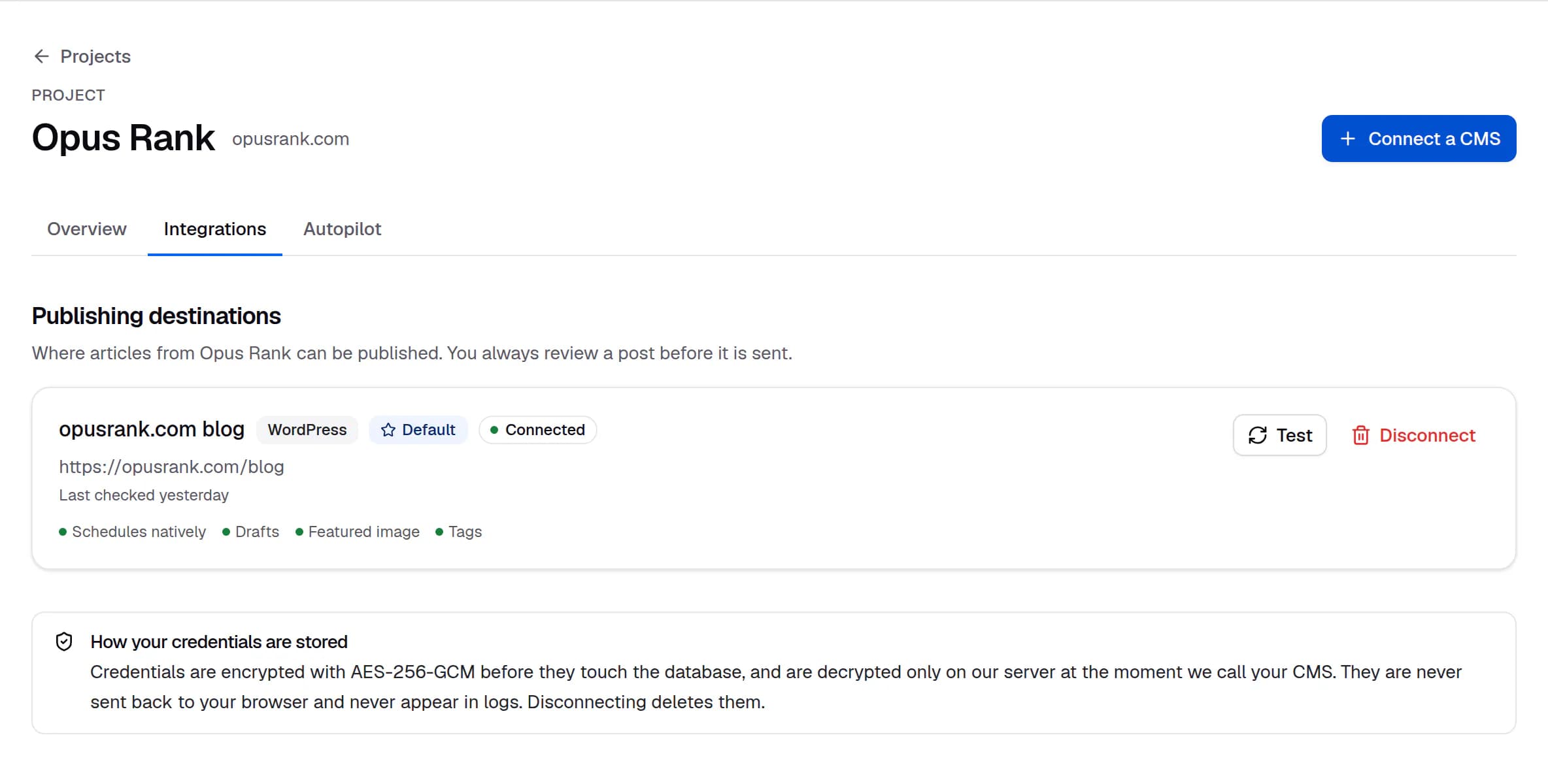
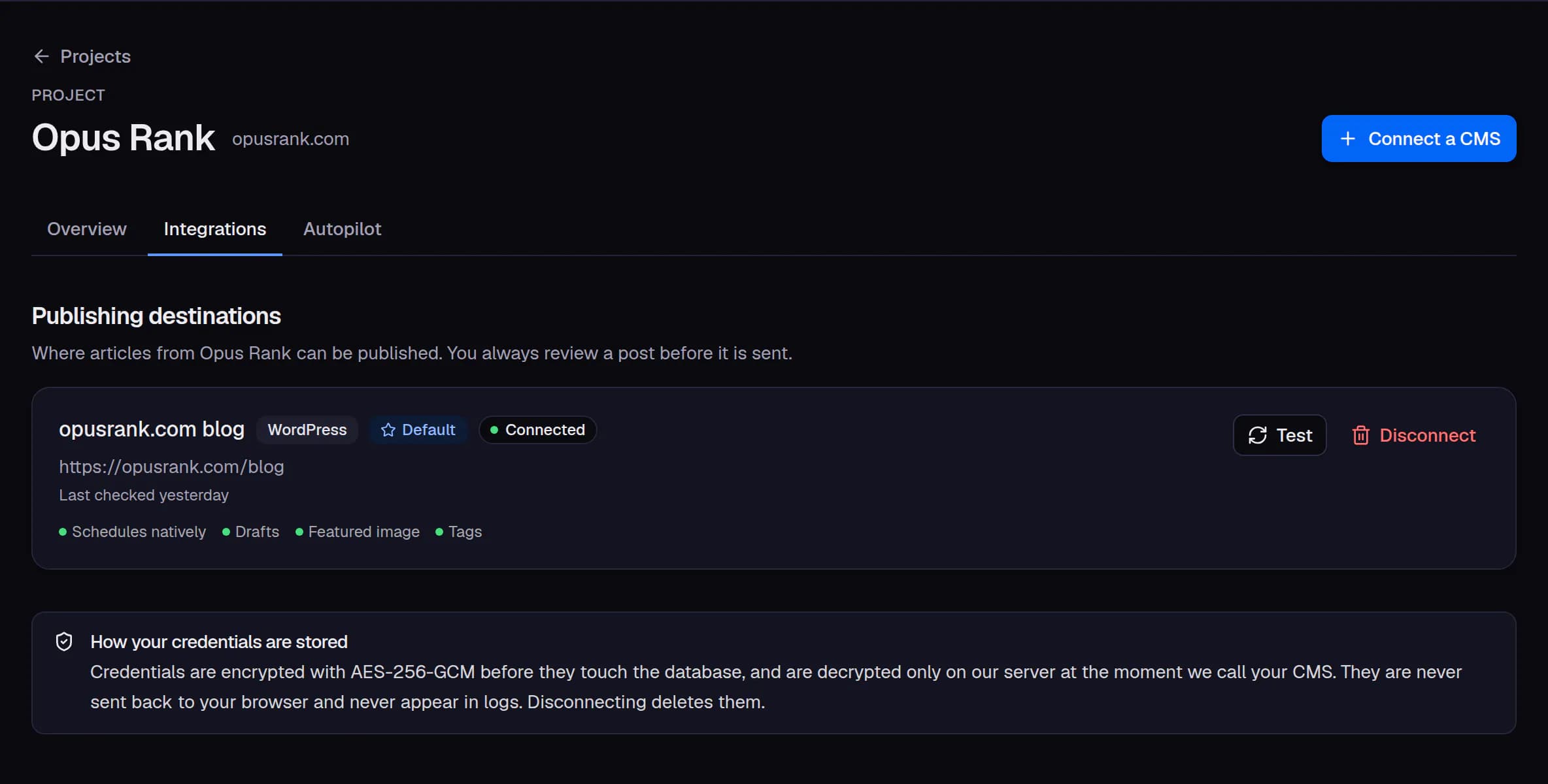
- A connected destination names the site and what its integration supports.
- Test re-checks the connection whenever you like.
- Credentials are encrypted before they reach the database and are never sent back to the browser.
Also included
The rest of the workspace
Capabilities that support the arc above rather than introduce it — and that you will use just as often.
You always know what it will cost
Every action has a fixed price, shown before you confirm it. Credits are held when the work starts and settled once, so a failure costs you nothing and a retry cannot charge you twice.
- The exact cost is shown before you confirm anything
- A generation that fails is refunded in full, automatically
- Retries are free — a job is charged once or not at all
- The ledger is append-only, so your history is never rewritten
The right model for the job
Features name a role — the writing model, the editing model — and the catalogue decides which provider model fills that role today. On Growth, the choice is yours to make.
- Frontier models on Growth, for the strongest long-form writing
- The model that produced each generation is recorded against it
- A model can be rotated or retired without touching a single article
Self-serve from beginning to end
Choose a plan, change it, or stop — from one screen, without booking a call. Credits you buy outright stay in your balance until you spend them.
- Upgrade, downgrade or cancel yourself, whenever you want
- Credits you purchase do not expire
- Invoices and receipts download straight from your workspace
Credit costs
Every action, priced up front
One balance covers everything below. Costs for planned features are published now so the pricing model does not change when they arrive.
| Feature | Credits | Status |
|---|---|---|
| SEO article generation | 100 | Available |
| Article refresh / rewrite | 60 | Available |
| Content brief | 20 | Available |
| Article outline | 10 | Available |
| Keyword cluster / topical map | 80 | Available |
| Internal-link suggestions | 10 | Available |
| AI-generated featured image | 40 | Available |
| CMS publishing automation | 0 | Available |
| AI chat / editing | 10 | Available |
| Article title suggestions | 0 | Available |
| Keyword research | 10 | Available |
Try it on a keyword you actually care about
Sign up, add your site, and have a full draft in a few minutes. Credits are charged only when a generation delivers a usable draft.
- Nothing publishes without you
- Failed generations are refunded